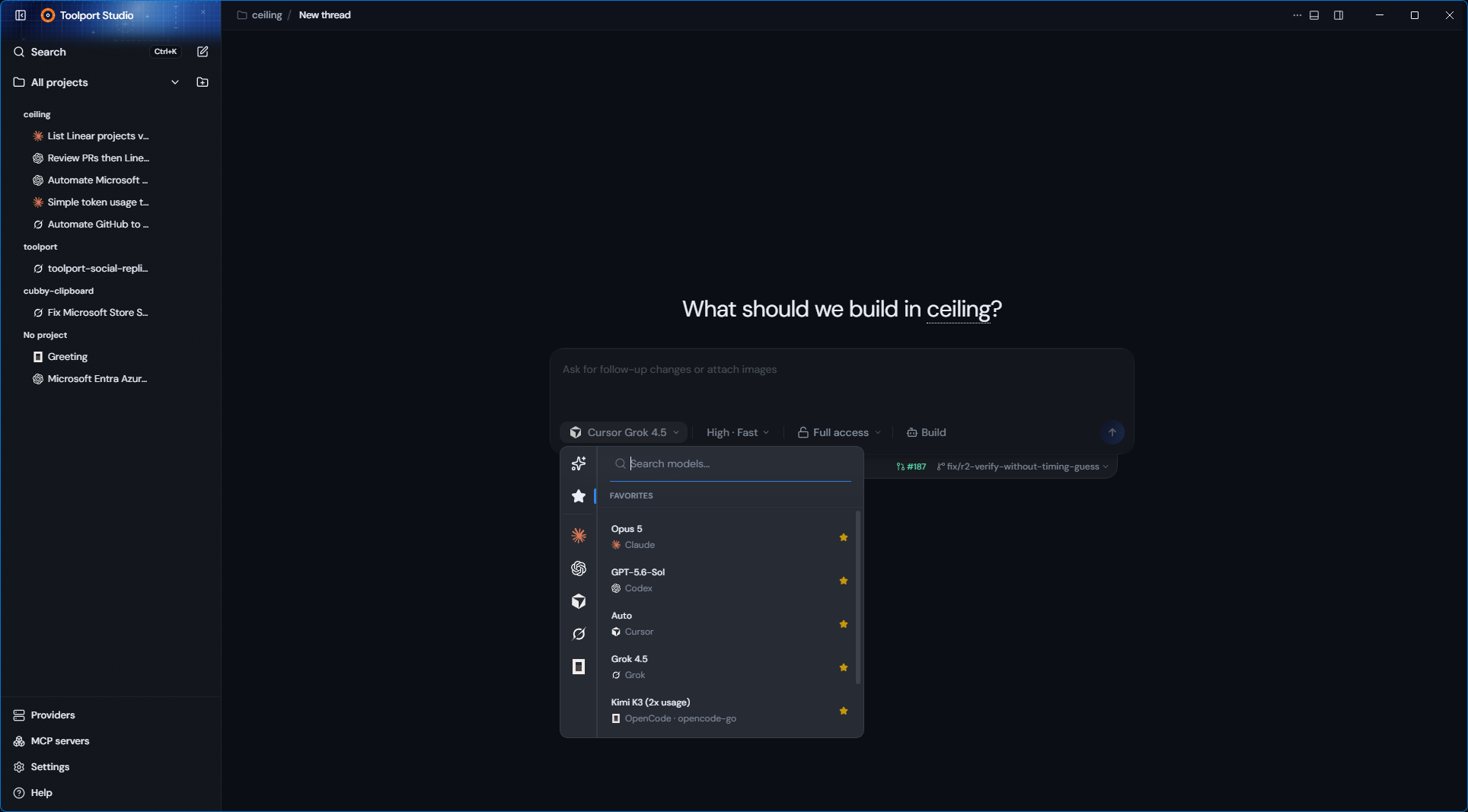
One window, every provider
Claude, Codex, Cursor, Grok, and OpenCode behind one interface, with the same layout and shortcuts for each. Swap models inside a conversation, and start a new one to change provider.
One desktop home for Claude, Codex, Cursor, Grok, and OpenCode, available on Windows, macOS, and Linux. Start a chat, drop into a repo, and switch models without switching apps. It runs on the subscriptions you already pay for.
Claude, Codex, Cursor, Grok, and OpenCode behind one interface, with the same layout and shortcuts for each. Swap models inside a conversation, and start a new one to change provider.
Signs in through the provider CLIs already on your machine. Nothing is resold, and API keys are never converted into subscription access.
Open a chat with no repo attached. Add a folder when the work turns into a project, and terminals, diffs, and previews appear as you need them.
Branch, review diffs, and open pull requests from the same window the work happened in.
Run commands and see a live preview beside the conversation, so you can check the thing you just changed.
Toolport gives every provider the same governed tool set, discovered automatically when the local gateway is running.
The Activity panel tracks the current step, tools used, MCP calls, and the files that changed this turn.
Drop images straight into the conversation, including Grok Build sessions.
Toolport Studio talks to the provider CLIs already installed on your machine. Sign in to the ones you use, then open the app and it finds them.
Grok has the most mileage by a wide margin. Claude and Codex get regular lighter use, Cursor is light, and OpenCode is the least exercised so far. Beta means some surfaces are more finished than others.
claude auth login codex login cursor-agent login grok login opencode auth login Claude, Codex, Grok, Cursor, OpenCode, and the models that come next.
Your MCP stack follows you, with one secure control plane.
Detailed usage, limits, costs, and reset windows in one view.